
Guide
Add the shortcut again
Use this if you deleted the shortcut or it is missing from Shortcuts.
iPhone
Step 1. Add the shortcut
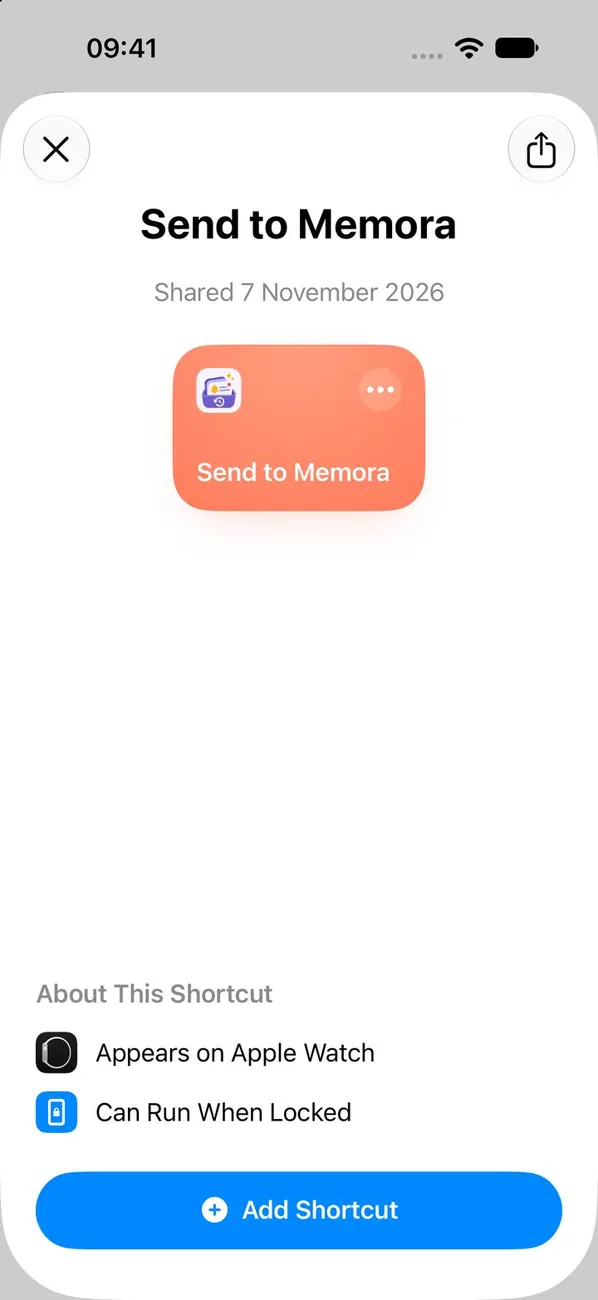
Open the link again and add the Memora shortcut. Then choose your apps and turn on Automation.
Step 2. Choose Cancel if asked to replace
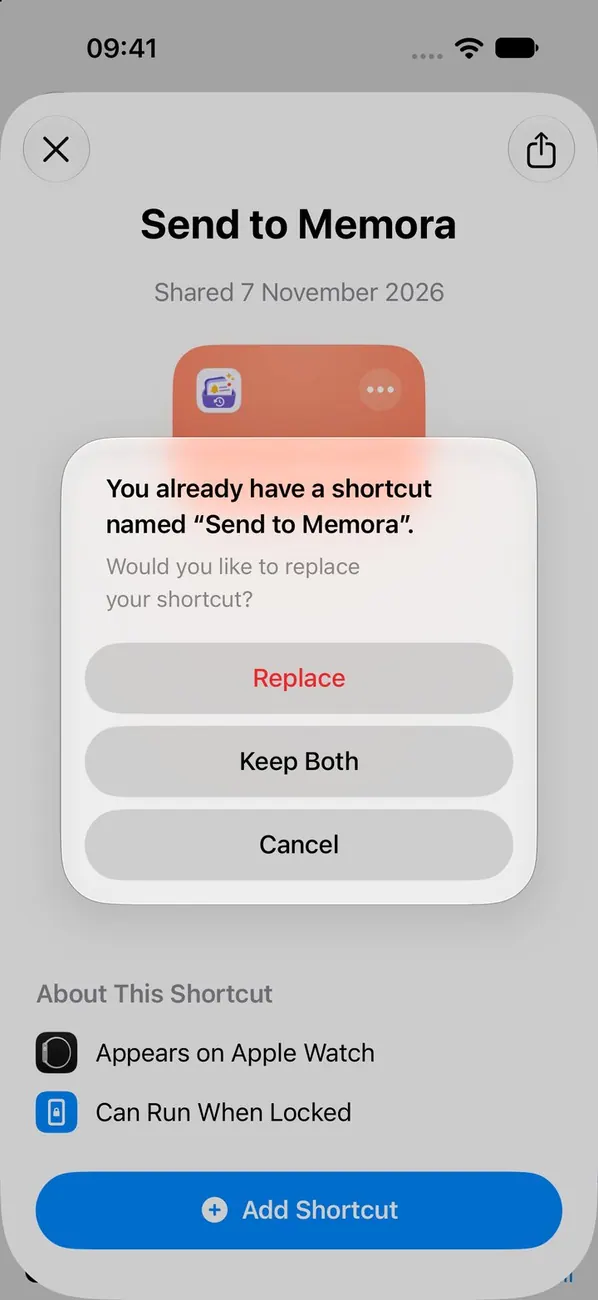 Important
Replacing the shortcut clears your app list. If Shortcuts offers to replace it, choose Cancel and keep the one you have.
iPad
Step 1. Add the shortcut
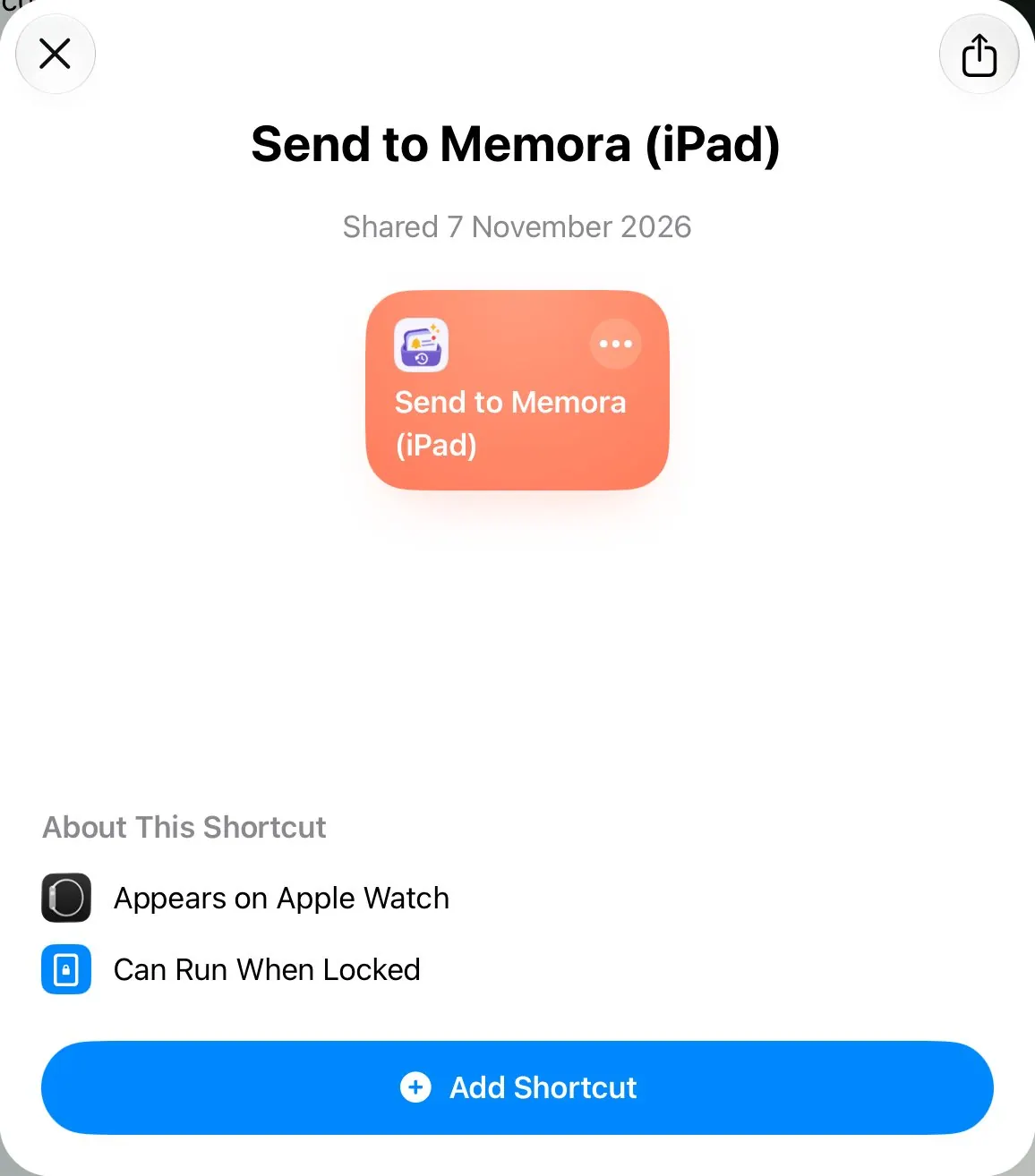
Open the link again and add the Memora shortcut. Then choose your apps and turn on Automation.
Step 2. Choose Cancel if asked to replace
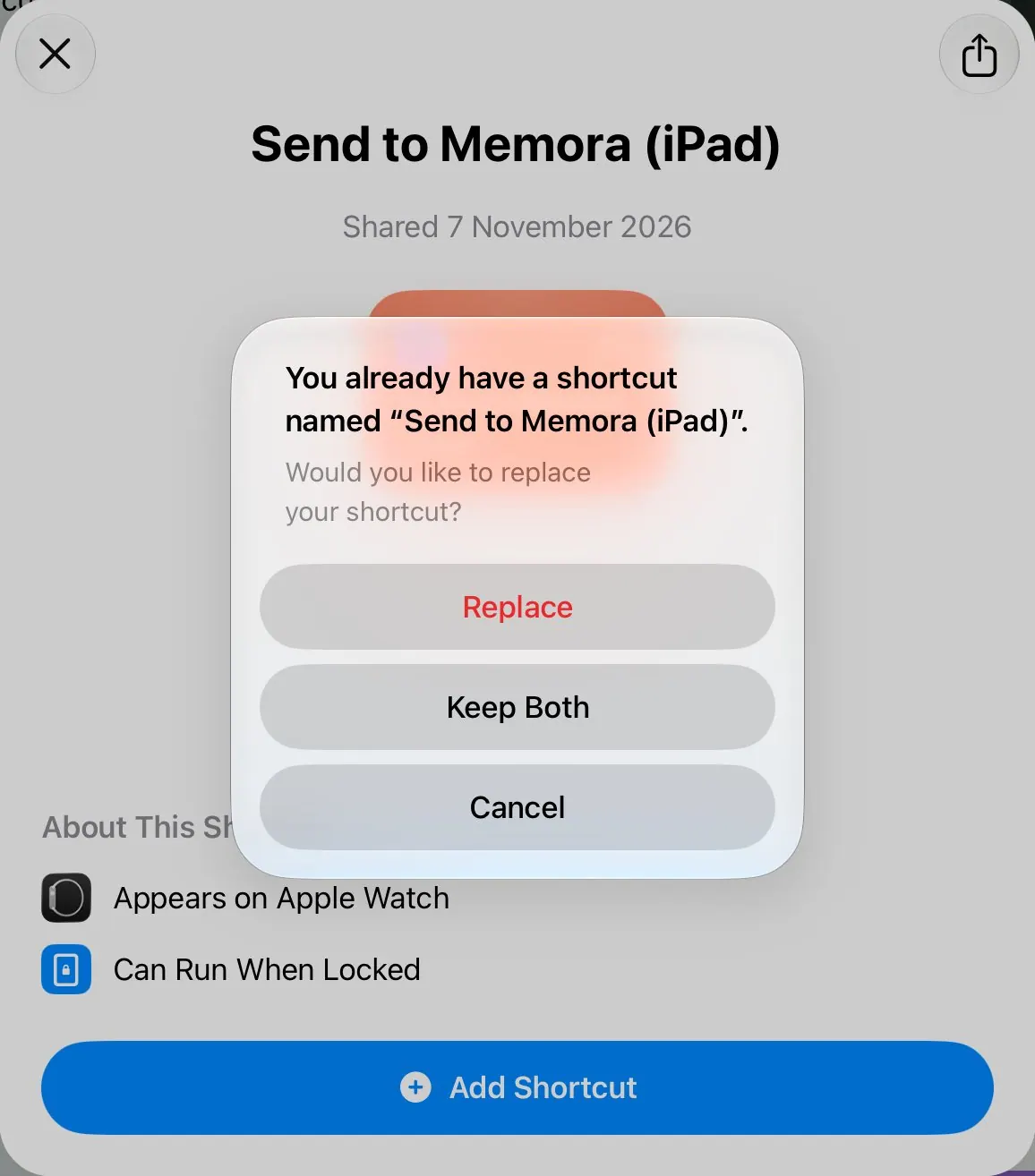 Important
Replacing the shortcut clears your app list. If Shortcuts offers to replace it, choose Cancel and keep the one you have.
Mac
Step 1. Add the shortcut
Open the link again and add the Memora shortcut. Then choose your apps and turn on Automation.
Step 2. Choose Cancel if asked to replace
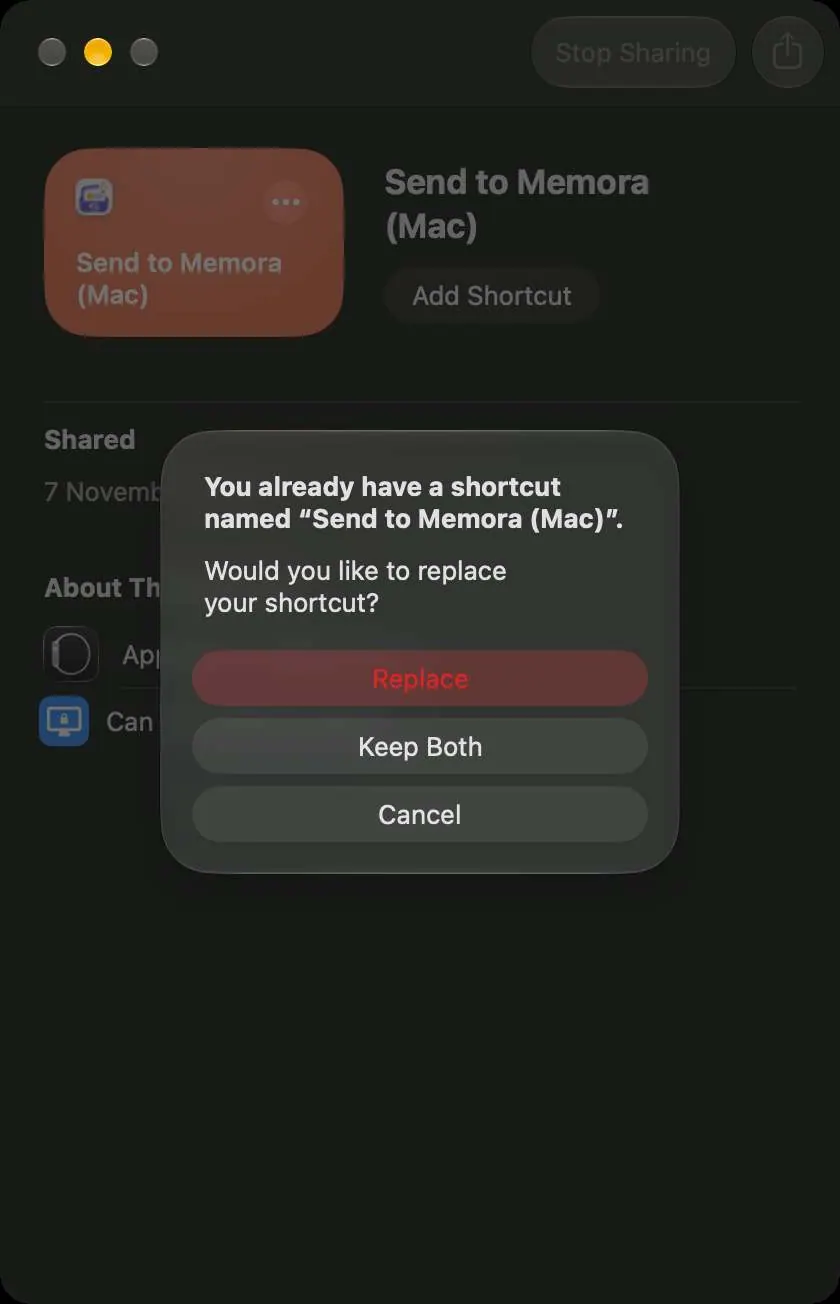 Important
Replacing the shortcut clears your app list. If Shortcuts offers to replace it, choose Cancel and keep the one you have.
Still stuck?
Email us at cynstudio.app@gmail.com